


HOW TO OPERATE THE PAPER TUBE MACHINE
HOW TO OPERATE THE PAPER TUBE MACHINE
when customer get the new paper tube machine after the long time ocean ship, they should install the machine according to the operation video and instruction manual which made by our factory,
normally all of the parameters for paper tube machine will be set well before shipping, but in fact, there are some parameters will be reset according to the paper tube machine buyer detail request.
today we will describe the first step when the machine buyer start to operate the machine, this step is important which need to set the parameters on the touch screen.
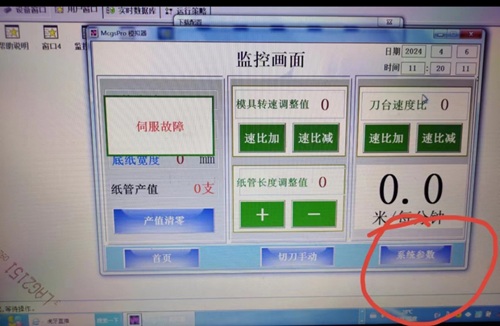
1.After changed into Chinese screen page, press the red circle on the above photo.
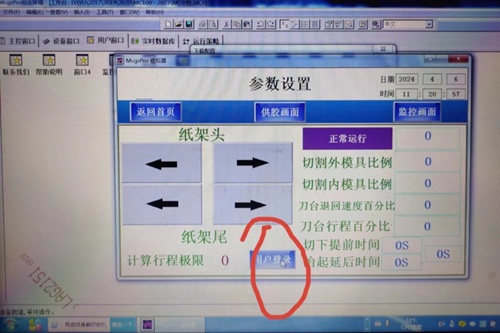
2.Push the above cirecle on the photo
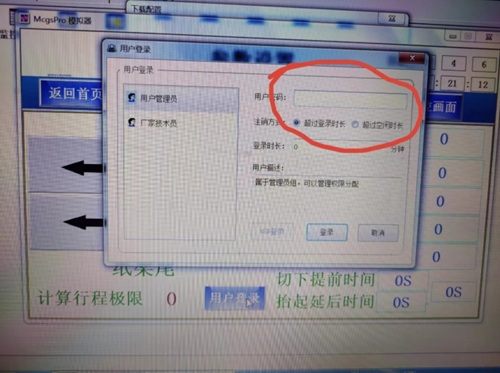
3.Enter into 00000 on the above circle
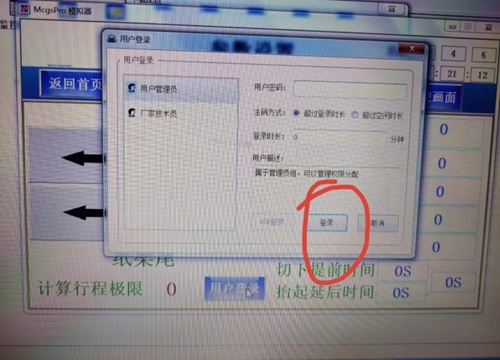
4.Push LOG IN on the above photo(red circle)
5.The above two parameters(red circle) changed into -0.1
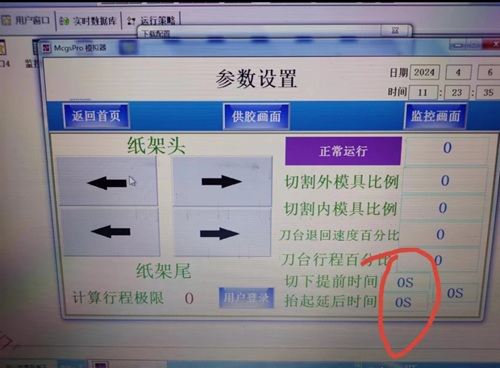
be notice, the above parameters is for our paper tube machine with multiblades in line type, like MC530, MY960 etc.
if for the single blade paper tube machine, it is different from the above.
